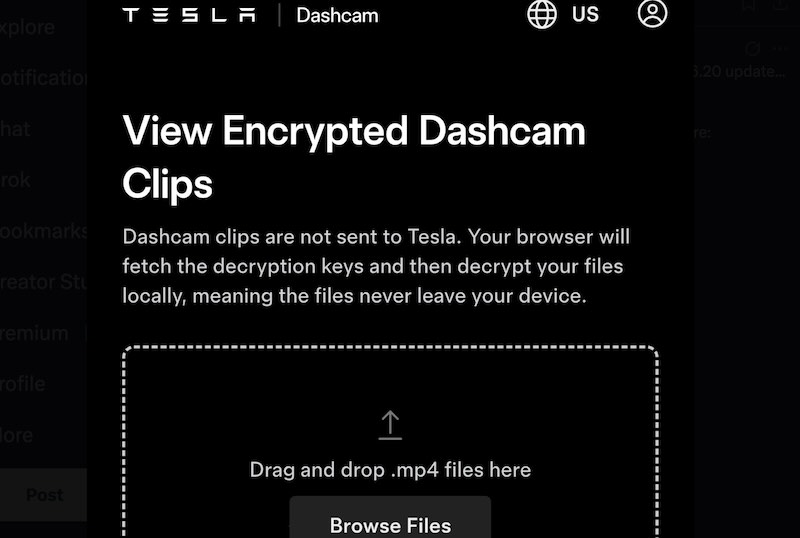
Tesla made reviewing dashcam footage considerably less painful — and without requiring you to install anything. The company officially introduced a browser-native Tesla Dashcam Viewer that handles encrypted file decryption, multi-camera playback, and clip organization entirely on your device, never routing footage through an external server, accessible at dashcam.tesla.com.
It’s a well-timed release. Earlier this February, Tesla extended its rolling dashcam buffer to a full 24 hours of driving footage for owners running a 1TB or larger USB drive. Managing that kind of data volume demands better tooling, and the new web viewer delivers exactly that.
Tesla Dashcam Viewer debuted alongside software update 2026.20 — a release that also introduced dashcam clip encryption, parental controls, and Service Mode improvements. Encryption feature activates by default once your vehicle receives the update, tying recordings directly to your Tesla account. Owners who’d prefer to opt out can do so through Controls > Safety.
Security benefit here is practical: if someone removes the USB drive from your vehicle, the footage won’t open on unauthorized hardware. Without your account credentials, those clips simply stay locked.
Authentication drives the whole process. Sign into the web portal with your Tesla account, and the system automatically retrieves your unique encryption keys. From there, viewer decrypts and streams your clips in real time — all locally, on your own machine. No footage transfers to a cloud platform or third-party server at any point.
The interface mirrors the in-vehicle player layout. Drag and drop files into the browser window, and the platform sorts them chronologically, matches camera angles from identical timestamps, and merges everything into a synchronized four-camera grid. Front, rear, left, and right feeds play simultaneously, with individual angle isolation available via the bar along the bottom. A Download All button packages your loaded clips into a single ZIP for local backup — straightforward and functional.
Beyond dashcam updates, 2026.20 added parental controls restricting entertainment app access inside Tesla Arcade, a useful addition for families sharing the vehicle with younger passengers. Service Mode also received new troubleshooting panels and a structured camera cleaning guide for both technicians and DIY owners handling their own maintenance.
Mobile access works without extra friction, too. With a USB OTG adapter, owners can review clips directly on a phone or tablet. Worth flagging, though, portal is currently unavailable in several countries, so global rollout isn’t fully there yet.
Tesla has been steadily expanding its video recording stack — digital zoom, pan controls, telemetry overlays, dashcam viewer fits naturally into that direction. It removes a concrete obstacle: reviewing encrypted footage on a laptop or phone now requires nothing more than a browser and valid account credentials.
With this tool in place, you’re no longer navigating workarounds to access your own footage. When it comes to staying on top of what your dashcam captures, the full picture is always just a browser tab away.
Related Post
Tesla Finally Brings Dashcam Viewer to Android App – Check Footage on the Go
Tesla 2026 Spring Update: New Features, Visuals and Grok Integration Explained
Tesla Adds B-Pillar Camera View to Cybertruck App | Critical Security Upgrade